Before you start writing procedures
Define the operation
Identify what your company does, who owns each process, where work passes between teams, and which risks and objectives need attention.
Toolkit components 1, 2, 3, 4, 5
Connected documents for your operation
Give your team a clear structure for planning, controlling work, and following through on quality issues. Sentinel brings the documents and implementation guidance together so each part has a purpose in your operation.
For small manufacturers, typically with 10 to 100 employees.
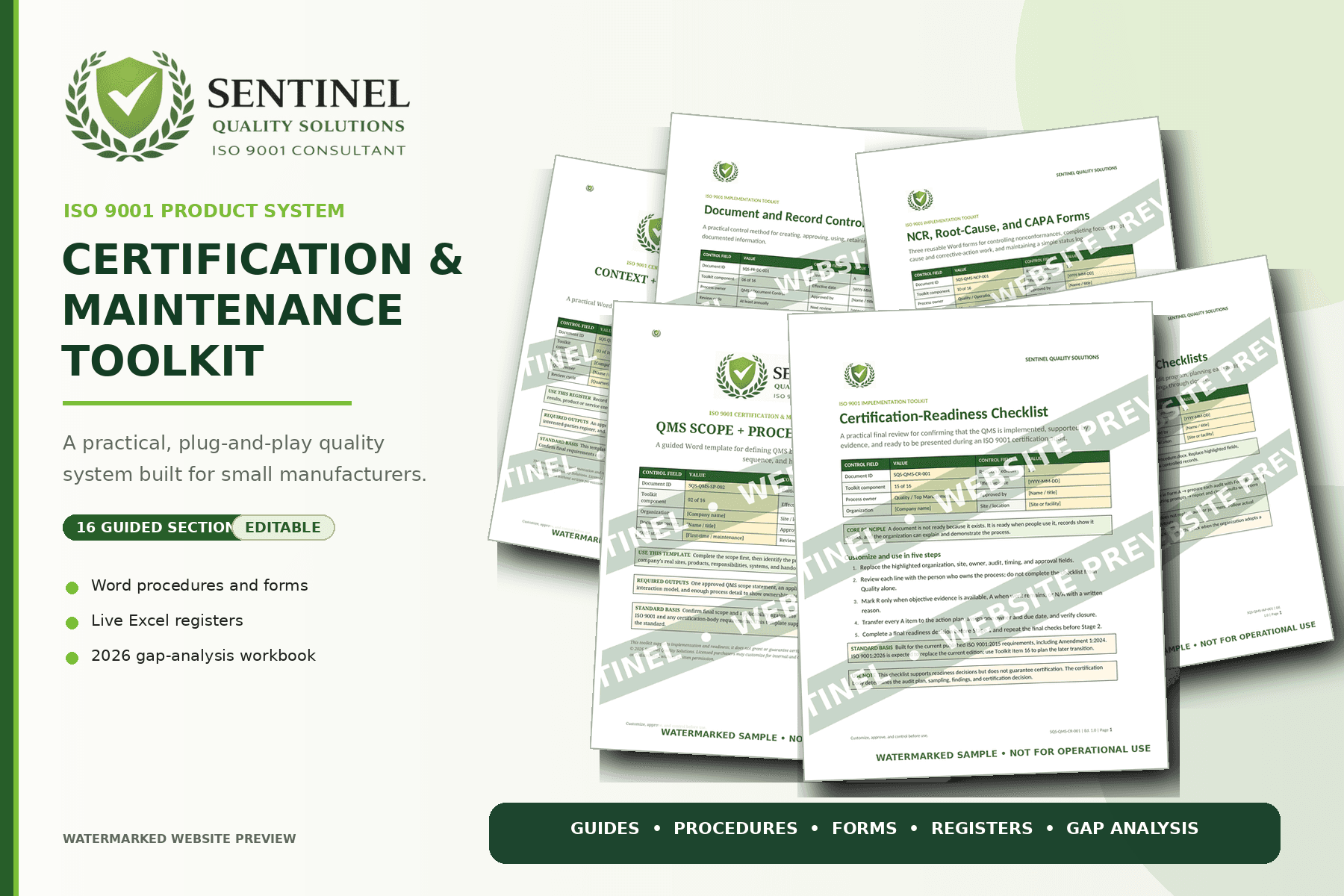
How the package fits your operation
Use the resources to connect decisions, responsibilities, and records across the manufacturing team. The component groups below follow that working sequence.
Before you start writing procedures
Identify what your company does, who owns each process, where work passes between teams, and which risks and objectives need attention.
Toolkit components 1, 2, 3, 4, 5
When people, suppliers, or equipment change
Connect approved instructions with competence, supplier controls, equipment records, and change decisions. Assign ownership for keeping those records current.
Toolkit components 6, 7, 8, 9, 14
When results show a problem
Connect nonconformities and customer feedback with corrective action, audit follow-up, and management review. Make the next action and its owner visible.
Toolkit components 10, 11, 12, 13
Before an independent certification assessment
Review how the system has been implemented, gather supporting records, and prioritize remaining gaps. Check the applicable standard edition separately.
Toolkit components 15, 16
Foundation or complete system
The Foundation Bundle covers eight core resources. The complete Certification & Maintenance Toolkit extends that scope to all 16 connected components.
In development
A focused starting point for planning, document control, corrective action, and gap assessment.
$599 one-time
View foundation bundle detailsIn development
Broader support for operating, auditing, reviewing, and improving the QMS.
$1,199 one-time
View complete toolkit details| Toolkit component | Foundation Bundle | Complete Toolkit |
|---|---|---|
| 01Start Here and Implementation Roadmap | Included | Included |
| 02QMS Scope and Process Interaction Templates | Included | Included |
| 03Context and Interested Parties Register | Included | Included |
| 04Risk and Opportunity Register | Included | Included |
| 05Quality Objectives and KPI Tracker | Included | Included |
| 06Document and Record Control System | Included | Included |
| 07Training and Competency Package | Not included | Included |
| 08Supplier Approval and Monitoring Package | Not included | Included |
| 09Calibration and Equipment Control Package | Not included | Included |
| 10NCR, Root Cause, and CAPA Package | Included | Included |
| 11Internal Audit Program and Checklists | Not included | Included |
| 12Management Review Package | Not included | Included |
| 13Customer Satisfaction and Complaint Tracking | Not included | Included |
| 14Change Control Forms | Not included | Included |
| 15Certification Readiness Checklist | Not included | Included |
| 16ISO 9001 Transition Readiness Gap Analysis Workbook | Included | Included |
Prices are one-time payments in USD. Check each product page for release status, final contents, file formats, and terms. The transition workbook is a readiness tool; verify edition applicability against the licensed standard.
A practical manufacturing example
Imagine a received lot fails inspection. The immediate NCR is only one part of the story. The full toolkit’s related resources can help your team connect the supplier history, response, instruction changes, and later review.
Use shared references so someone can follow the issue without copying the same details into every file. This is an example of how to organize the work, not an automated software workflow.
See how to audit the evidenceA received lot fails inspection. Record the affected material, job references, immediate controls, and the disposition decision in your NCR process.
NCR, Root Cause, and CAPA Package
Link the issue to the supplier record. Look at earlier receipts and decide whether the supplier’s performance or approval needs further review.
Supplier Approval and Monitoring Package
Where needed, investigate the cause and agree corrective action. If a receiving instruction changes, approve the revision and brief the people using it.
CAPA, Document Control, and Training resources
Review later receipts to see whether the action worked. Carry repeat issues and significant decisions into your performance and management review process.
Quality Objectives and Management Review resources
Make it your working system
Use your own processes, roles, document numbers, and approval controls. The practical goal is a system people can understand and keep current.
List your current travelers, inspection records, supplier files, training records, and business systems. Decide where the toolkit fills a gap and where an existing record remains the better fit.
Replace example roles and terminology with the people, departments, products, and process boundaries in your operation. Assign a document owner and an approval route.
Work through a recent order, supplier issue, or equipment review. Check that staff can find the right information and that the forms capture what the process actually needs.
Approve the adapted files, communicate relevant changes, and identify where completed records will be kept. Use reviews and audit results to improve the documents over time.
Before choosing a package
The component structure connects planning with the daily work of people, suppliers, equipment, document control, nonconforming product, and quality reviews. You adapt the resources around your actual manufacturing processes and customer requirements.
The packages contain document resources and implementation guidance. They do not provide an online QMS application or production-management software. Optional consulting and recurring QMS support are separate services.
Yes. Review how your existing records support the process, then use the templates where they add value. Identify the record owner and location so the same information does not need to be entered twice. Any links between records are arranged by your team; the package does not automatically integrate business systems.
The Foundation Bundle is described as editable Microsoft Word documents and Excel workbooks, with PDF guidance where appropriate. Workbook formulas or structural areas may be protected. The complete toolkit’s final file formats and editability details will be listed before purchase.
No. Sentinel groups related work into components, and a component is not necessarily one file. Adapt or combine resources where that makes the system easier to use, while retaining the documented information required for your applicable standard and operation.
Paid customization is a separate service. Sentinel can adapt agreed resources to your processes, roles, terminology, and existing controls. The proposal defines the files, information needed, deliverables, schedule, and fee.
Choose the help you need
Sentinel’s packages are designed for independent customization. Your team still owns implementation, approvals, and daily use. If you need help tailoring the files or identifying gaps, start with a focused service.
Sentinel Quality Solutions
Explore the complete toolkit or tell us what you need to adapt.